Real-Time 3D in the Browser
Built with three.js and WebGL. Drag to rotate, pinch to zoom, open it full screen or in its own tab, on a desktop, tablet or phone.
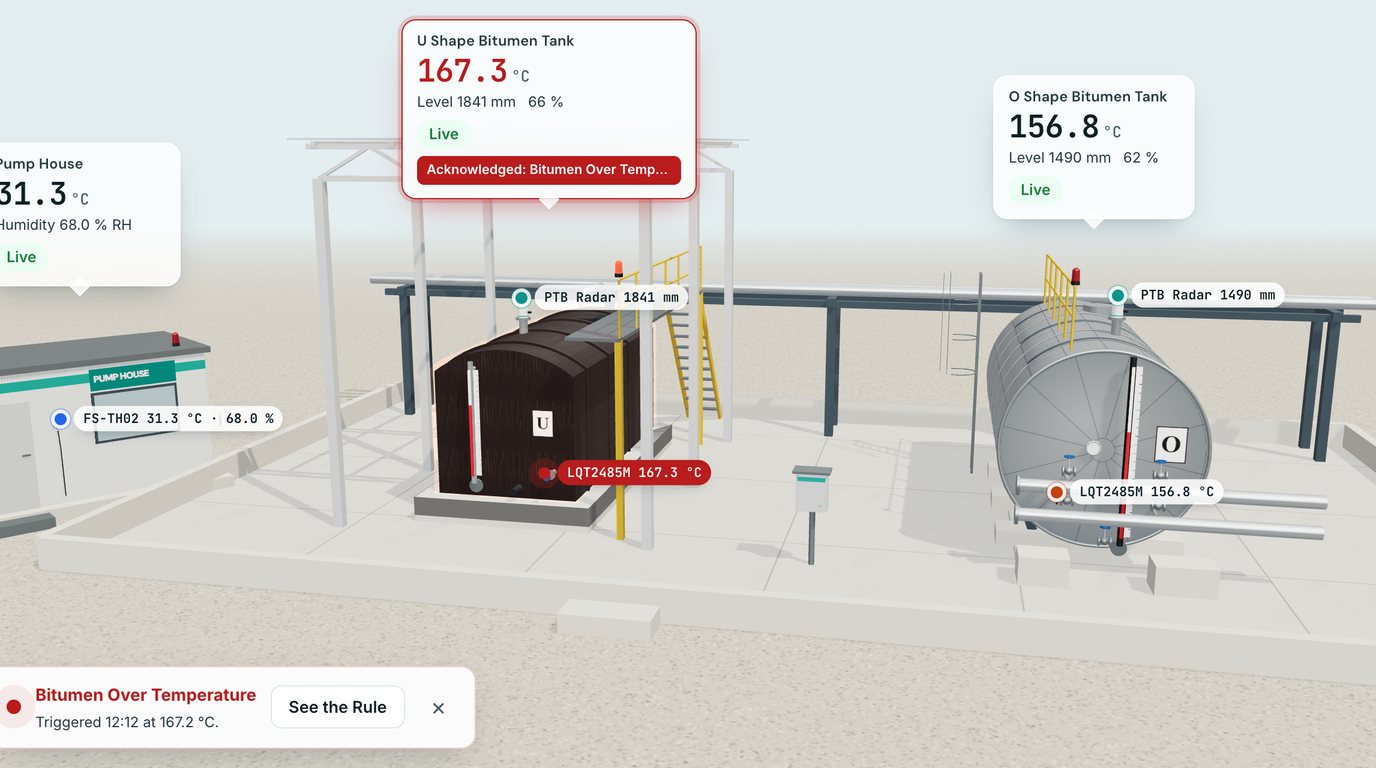
A three.js Digital Twin of your tanks, rooms and machines, linked to live Nodes. Rotate it, switch to a thermal view, cut a tank open to see the level, and watch it react when an automation fires.
Interactive Demo
This is the real IoTServa 3D view, running in your browser on demo readings. Switch to Thermal, open the Cutaway, and wait about a minute: the U Shape tank runs hot and the automation fires.
3D Tank View Live Demo
Drag to rotate, scroll or pinch to zoom, right drag to move.
Horizontal tank on U saddle supports. Sensors: LQT2485M temperature probe, PTB radar level.
Horizontal tank on O ring supports. Sensors: LQT2485M temperature probe, PTB radar level.
Room temperature and humidity sensor (FS-TH02) on the pump house wall.
A list of numbers does not show that the hot tank is the one beside the pump house, or that its level is low. A Digital Twin puts every value on the equipment it belongs to, so a visitor, an operator or a manager understands the site in seconds, from any browser and without a plugin.
Built with three.js and WebGL. Drag to rotate, pinch to zoom, open it full screen or in its own tab, on a desktop, tablet or phone.
Switch between a realistic model and a thermal camera style view with an ironbow palette, a live scale and a spot meter that follows the pointer.
Cut the front of a tank away to see the liquid at its live level, measured by the radar sensor on the roof.
Temperature probes, radar level meters and room stations are drawn where they are fitted, each with its live value.
When a Rule fires on a linked value the tank glows, its sensor pulses, a notice and a toast appear, and an optional alarm sound plays until someone acknowledges.
Each part of the model is linked to Nodes in your Site Tree and refreshes every few seconds while the view is on screen, with Live, Stale and Offline states.
The Digital Twin list shows a small turning 3D preview of each twin with its live values, so you can see the whole estate at a glance.
A twin only shows values the member is allowed to read, and hides the rest instead of guessing.
Twins are modelled from your site photos and drawings: tank farms, plant rooms, crushers, conveyors and whole buildings.
Not every site needs 3D. Floor plans with live markers use the same Nodes and the same alert colours.
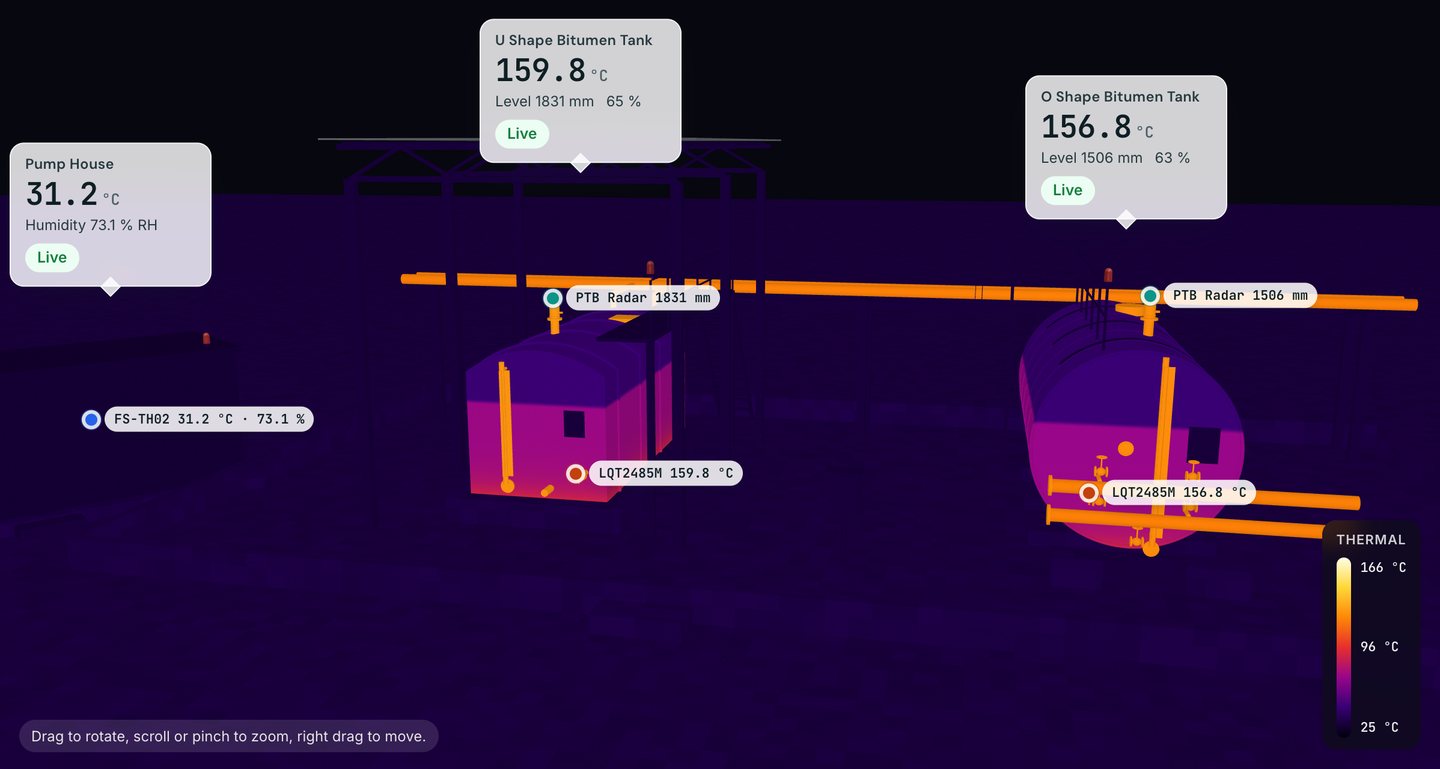
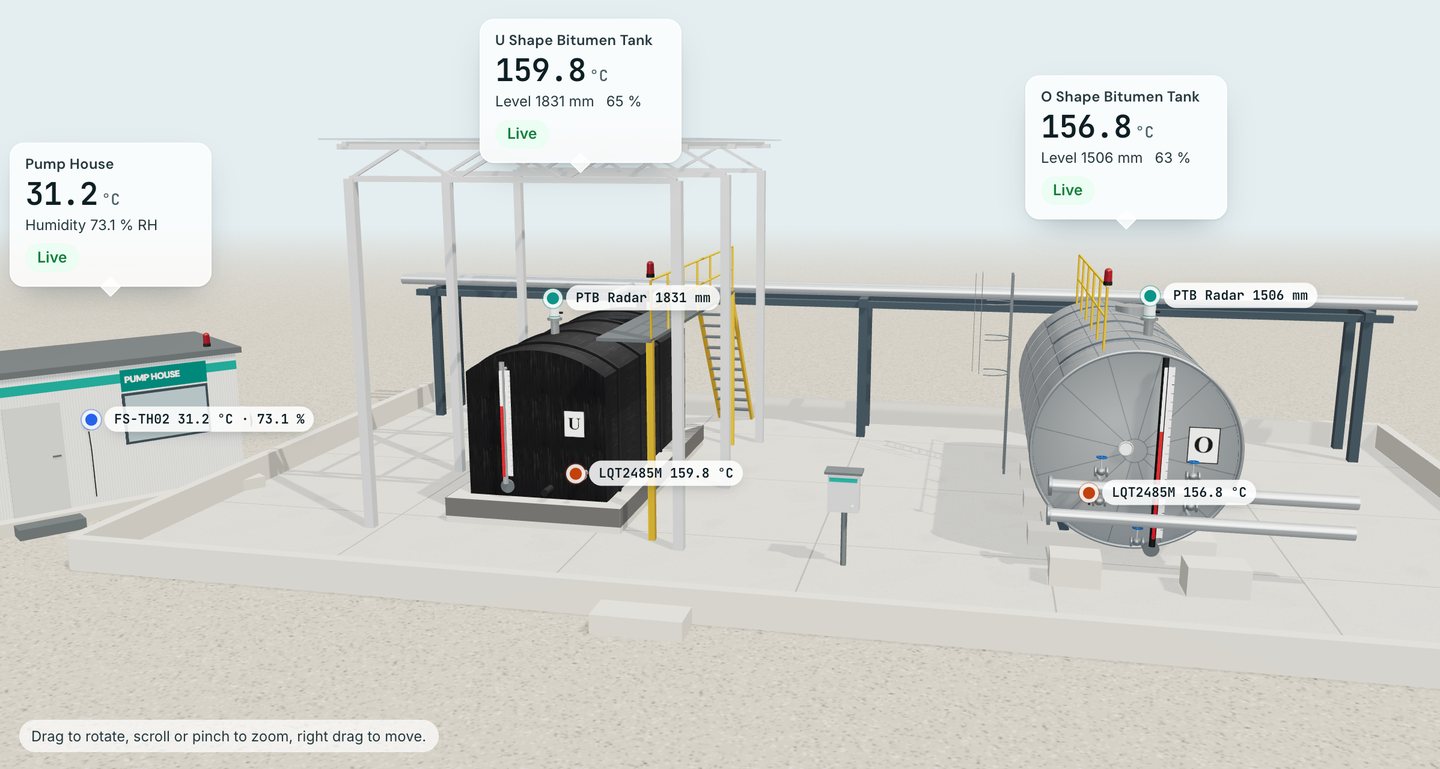
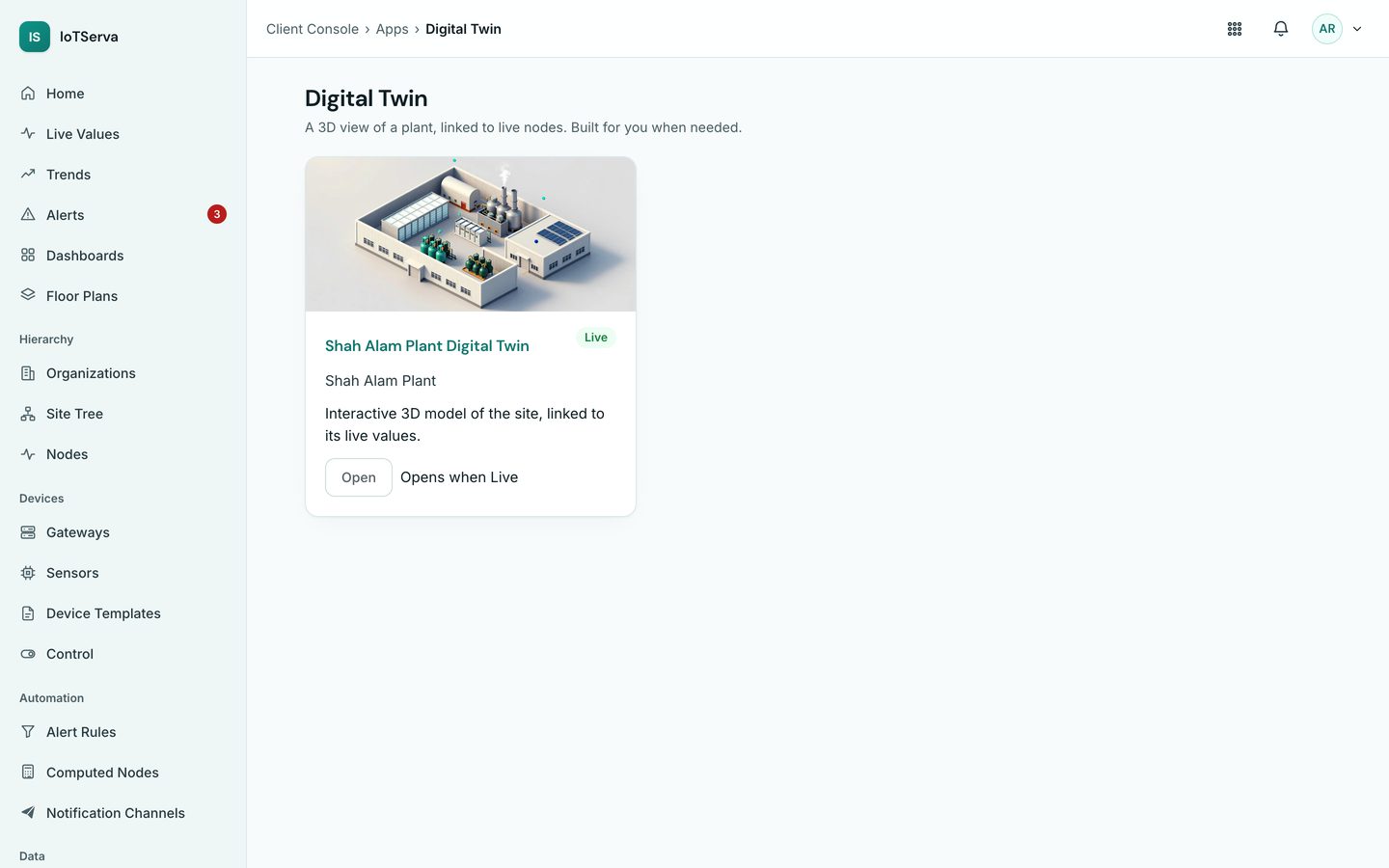
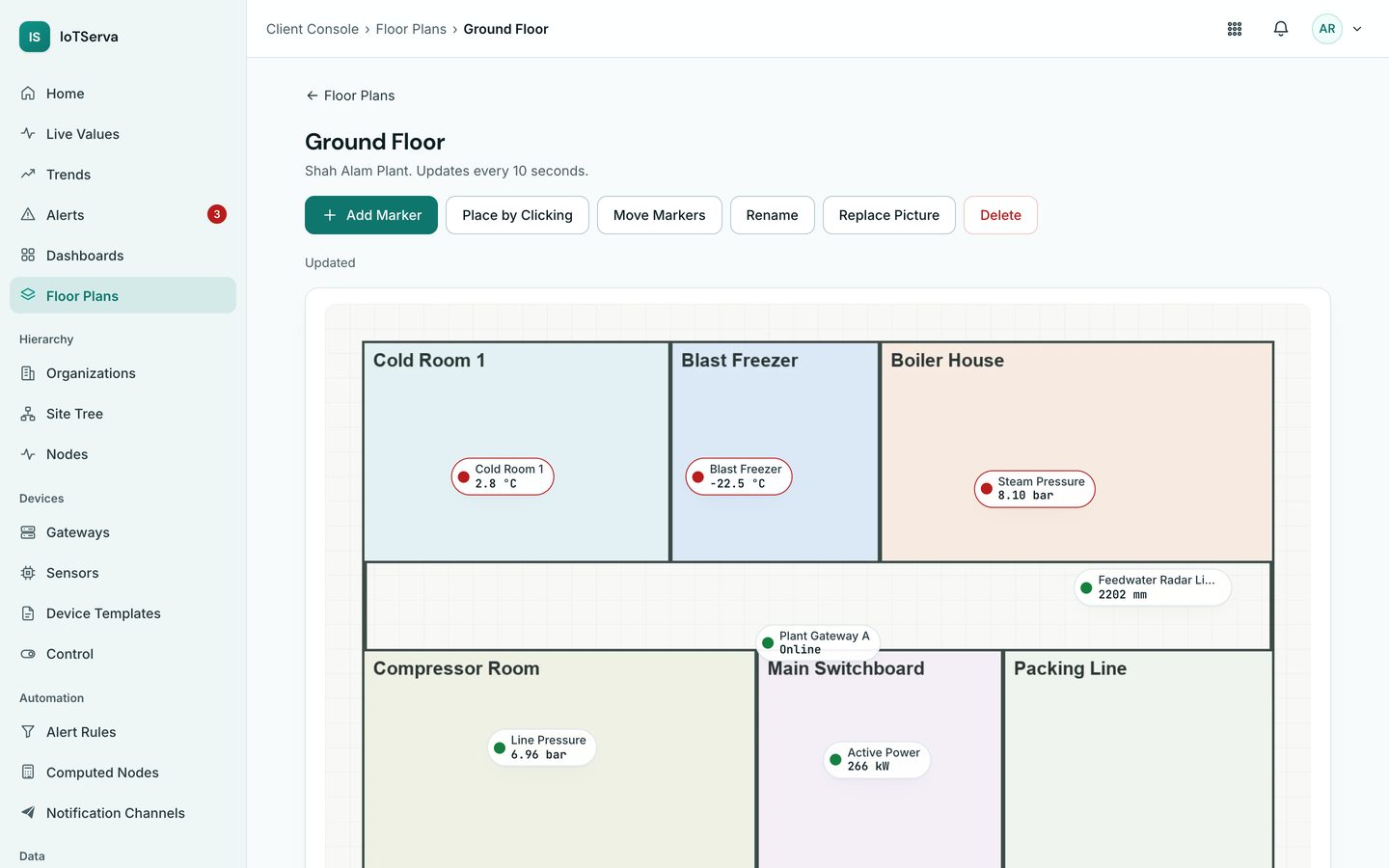
Screens from the live IoTServa software with a demo company and demo data.
A 3D model of your equipment, drawn in the browser with three.js, where each part is linked to live Nodes. It shows temperatures, levels and alarms on the equipment itself and refreshes every few seconds.
No. The twin runs in any modern browser with WebGL, on a laptop, tablet or phone. If WebGL is not available the same values are shown as a table.
In the 3D Tank View it is a modelled skin temperature from the live probe and level readings, styled like a thermography survey. Real thermal camera feeds are shown alongside where the site has them.
The IoTServa team models it from your site photos and drawings and links it to your Nodes. You then use it like any other screen.
See VYROX Hardware or Read the Protocol Guides
Tell us which protocols are on site. We will scope a pilot that reads your real devices.